 Remove Metadata
Your files are carrying a hidden note
Every video and audio file has a little note pinned to it that you never see: the title, artist, comments, the software that made it, the phone or camera model, chapters, and sometimes the GPS location where it was recorded.
Most of the time that's harmless. But if you're posting a clip publicly, sending files to a client, or just don't want the world to know which street you were standing on, you want that note gone before the file leaves your hands.
This tool tears the note off and gives you the same file back.
Why I built this
I've had a Windows version of Remove Metadata at the-Automator for a while. It runs one ffmpeg command per file and does the job well, but it only helps people on Windows who are willing to install something.
So I rebuilt it for the browser. Same one-line ffmpeg command under the hood, no install, and it works on a Mac or a Chromebook just as well as a PC.
How it works
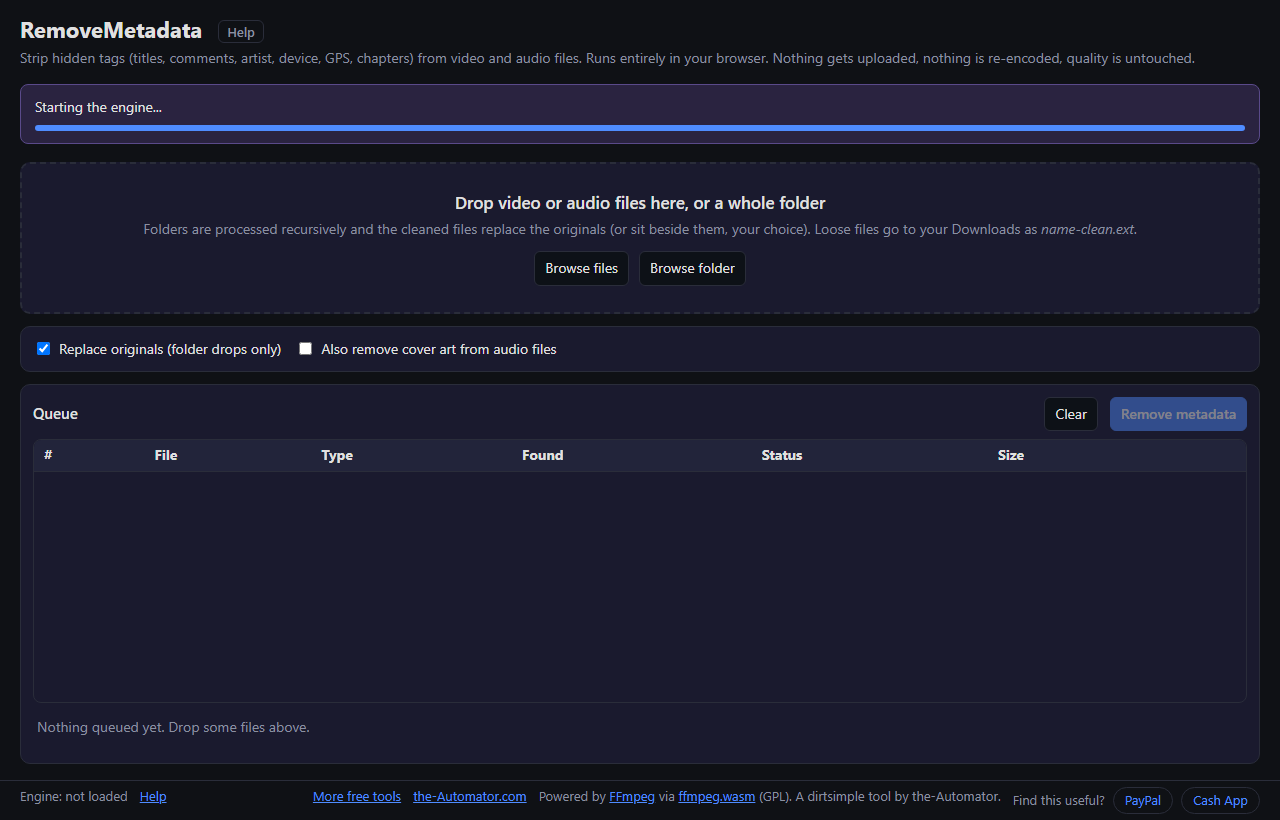
- Let the engine load. The first visit downloads the FFmpeg engine (about 31 MB) into your browser. After that it's cached.
- Drop files or a folder. Or use Browse files / Browse folder. The Found column shows how many tags, chapters and pictures each file carries.
- Press Remove metadata. Each file is copied with the tags stripped out. Picture and sound are not touched.
- It checks its own work. Every cleaned file is probed again, and the row says verified clean or tells you what's left.
Where the cleaned files go
Drop a folder (Chrome or Edge) and it's scanned recursively. With Replace originals ticked, each cleaned file takes the place of the original. It writes the clean copy beside the original first and only then moves it over, so a crash halfway can't leave you with half a file. Untick it and you get name-clean.ext beside each original instead.
Drop loose files, or use another browser, and each cleaned file downloads as name-clean.ext. Browsers don't let a web page overwrite a single dropped file.
What gets removed, and what stays
Gone: container tags (title, artist, album, comment, date, encoder, device, location and any custom tag), per-track tags, chapters, and data tracks like GoPro telemetry or timecode.
Stays: a few labels the file format itself requires, like MP4 brand codes and Matroska track durations. They identify the format, not you. Cover art in audio files is kept unless you tick the box to drop it.
Why I ask for your email
Your files never leave your browser, so this isn't about your data. The email is how I keep these tools free: it tells me real people are using them, and it gives me a way to reach you.
I might send you a note now and then about other free tools I build. I will never sell or give your email to anyone else.
Questions people ask
Is it really free?
Yes. There's no charge and no cap on how many files you clean. A queue of hundreds is fine, it just works through them in order.
Are my files uploaded anywhere?
No. The FFmpeg engine downloads once into your browser and every file is processed on your own machine. Close the tab and nothing is left behind except the cached engine.
Will it hurt the quality?
No. The picture and sound are copied exactly as they are. Only the tags, chapters and data tracks are left out.
What file types does it handle?
Video: MP4, M4V, MOV, MKV, WebM, AVI, WMV, MPG, TS, MTS, FLV, 3GP and more. Audio: MP3, M4A, M4B, AAC, WAV, AIFF, FLAC, OGG, OPUS, WMA and more. A few odd ones like WTV, RealMedia and APE need the Windows tool.
Is there a size limit?
The cleaned copy is built in browser memory, so very large files (roughly 1 to 2 GB, depending on the device) can run out of memory. Computers handle more than phones.
Which browser should I use?
Chrome or Edge if you want to clean whole folders in place. Firefox and Safari work too, but every cleaned file downloads instead.